2-Drawer Pen Organizer: Quick Desk Declutter for Study
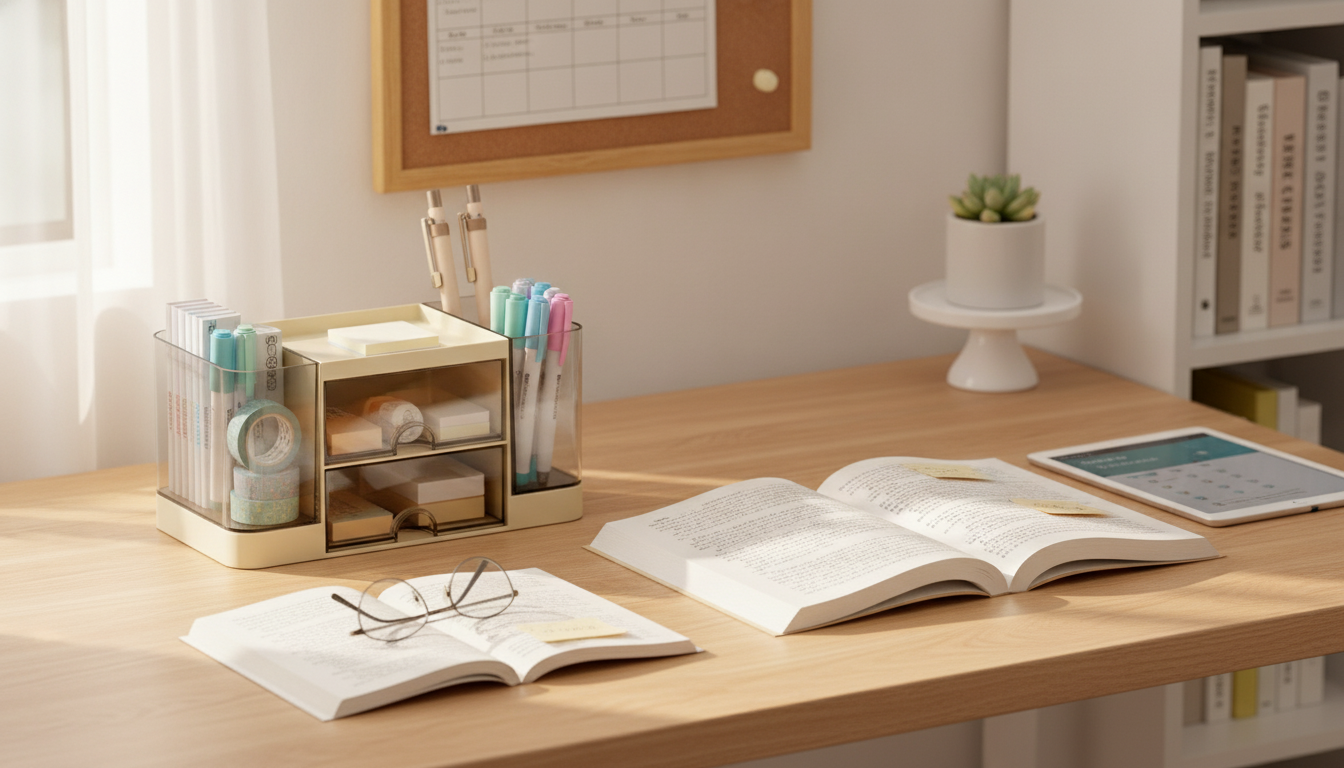
2-Drawer Pen Organizer for a Tidy Study or Work Desk
A small desktop organizer can make daily routines smoother by keeping pens, sticky notes, clips, and charging cables in consistent, easy-to-reach spots. A 2-drawer design adds quick “hideaway” storage for loose items while leaving the top surface open for frequently used essentials—helpful for student desks, home offices, and shared family workstations.
What a 2-drawer desktop organizer solves
Even a clean-looking desk can turn into a “stuff landing zone” once you add school supplies, mail, and tech accessories. A compact organizer with drawers helps you regain control without needing extra shelving or a full desk overhaul.
- Reduces desk clutter by giving small items a dedicated home instead of scattering across the surface
- Speeds up homework and work tasks by keeping writing tools and accessories within arm’s reach
- Creates a cleaner look for video calls or shared spaces by tucking away loose supplies in drawers
- Helps prevent lost items like erasers, USB drives, paper clips, and spare leads
It can also support more comfortable work habits. Keeping the tools you reach for most close to your dominant hand may reduce awkward reaching and repetitive “hunt and grab” movements. For general ergonomics guidance, see the NIH National Library of Medicine overview at https://www.ncbi.nlm.nih.gov/.
Smart ways to set it up for students and office use
The easiest way to keep an organizer working long-term is to give every category a simple “rule” so items naturally return to the same place.
- Top surface: keep the most-used items visible (two favorite pens, highlighter, ruler, small notepad)
- Top drawer: store quick-grab supplies (sticky notes, erasers, correction tape, extra ink refills)
- Bottom drawer: store less frequent items (binder clips, staples, thumbtacks, spare earbuds, adapters)
- Create zones: dedicate one drawer to “school/work” and the other to “tech + misc” to reduce rummaging
- Label lightly: a small tape label inside the drawer helps on shared desks or family work areas
A helpful setup for busy weeks: keep only “today’s tools” on top. When you’re done, a quick sweep puts everything back in seconds, and the desk stays ready for the next session.
Typical items that fit well (and where to put them)
Most people get the best results when they separate by frequency of use: daily items stay visible, while small or backup items stay in drawers.
- Writing: pens, pencils, markers, stylus
- Paper goods: sticky notes, page flags, index cards
- Small tools: mini scissors, tape, glue stick
- Desk odds and ends: paper clips, binder clips, staples, rubber bands
- Tech accessories: USB drives, charging cable, dongles, SIM tool, earbuds
Desk setup ideas by space and routine
| Desk type | Top surface | Top drawer | Bottom drawer |
|---|---|---|---|
| Student desk | Daily pen + highlighter + small notebook | Sticky notes, eraser, spare leads | Clips, tape, mini scissors |
| Home office | Primary pen, marker, meeting notepad | USB drive, sticky notes, stamps | Adapters, spare cable, batteries |
| Shared family desk | Cup of pens, timer, note pad | Kids’ supplies (erasers, crayons) | Returns/labels, clips, misc tech |
Where it fits best on a desk
Placement matters as much as what you store. The goal is to protect your central work area (keyboard, notebook, homework space) while keeping essentials easy to reach.
- Near the dominant hand: reduces reach when grabbing pens or sticky notes
- Next to the monitor stand: keeps the center work area open while maintaining access
- Beside a charging station: drawers can hold spare cables and small tech accessories
- On a shelf cubby: adds “hidden” storage without taking up prime desk space
If you share a desk, consider placing the organizer slightly to one side and leaving the middle “neutral.” That makes it easier for another person to slide in with a laptop or workbook without rearranging supplies.
Keeping it looking neat all semester (or all quarter)
A desk organizer works best when it supports a tiny daily routine, not a big weekend cleanup. A few small habits keep the drawers from becoming a mystery pile.
- Do a 2-minute reset at the end of the day: return loose items to drawers and clear the top
- Keep duplicates out: store only one “active” pen set on top and keep backups in drawers
- Use small pouches inside drawers: group tiny items (paper clips, thumbtacks) so they don’t mix
- Wipe down weekly: prevent dust buildup, especially near electronics
For practical everyday cleaning guidance (including routine wipe-downs), the American Cleaning Institute offers helpful tips at https://www.cleaninginstitute.org/cleaning-tips.
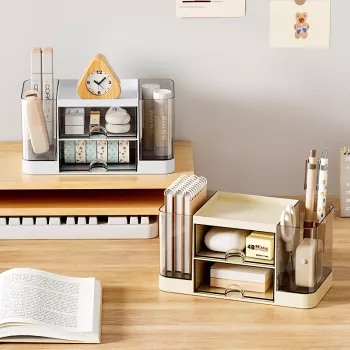
Product pick: 2-Drawer Pen Organizer – Multi-Functional Desktop Storage Box
If you want a simple upgrade that makes your desk feel more “ready,” a compact organizer with two drawers is an easy win—especially for small bedrooms, dorm setups, or multi-use family workstations.
Shop the featured organizer here:
2-Drawer Pen Organizer – Multi-Functional Desktop Storage Box for Students & Office.
- Double Layer Insulated Lunch Bag (helps keep grab-and-go mornings smoother when your desk area isn’t buried in last-minute clutter)
- Calm in the Chaos: A Parent’s Guide to Managing Stress (eBook) (useful for building simple routines that stick, especially in shared family spaces)
FAQ
What should go in the drawers versus on top?
Keep daily essentials on top (1–3 pens and a small notepad). Put small loose items in the top drawer (sticky notes, erasers), and keep backups or less-used items in the bottom drawer (clips, spare cables, refills).
Is a 2-drawer organizer better than open compartments?
Drawers reduce visual clutter and keep tiny items contained, which helps desks look calmer fast. Open compartments can be quicker for grab-and-go, but a top surface plus drawers balances speed and neatness.
How can a desk organizer help students stay organized?
It creates fixed “homes” for supplies so students spend less time searching and more time working. It also supports simple habits like an end-of-day reset and keeping the most-used items within reach.








Leave a comment